
Campus Lynx Explained
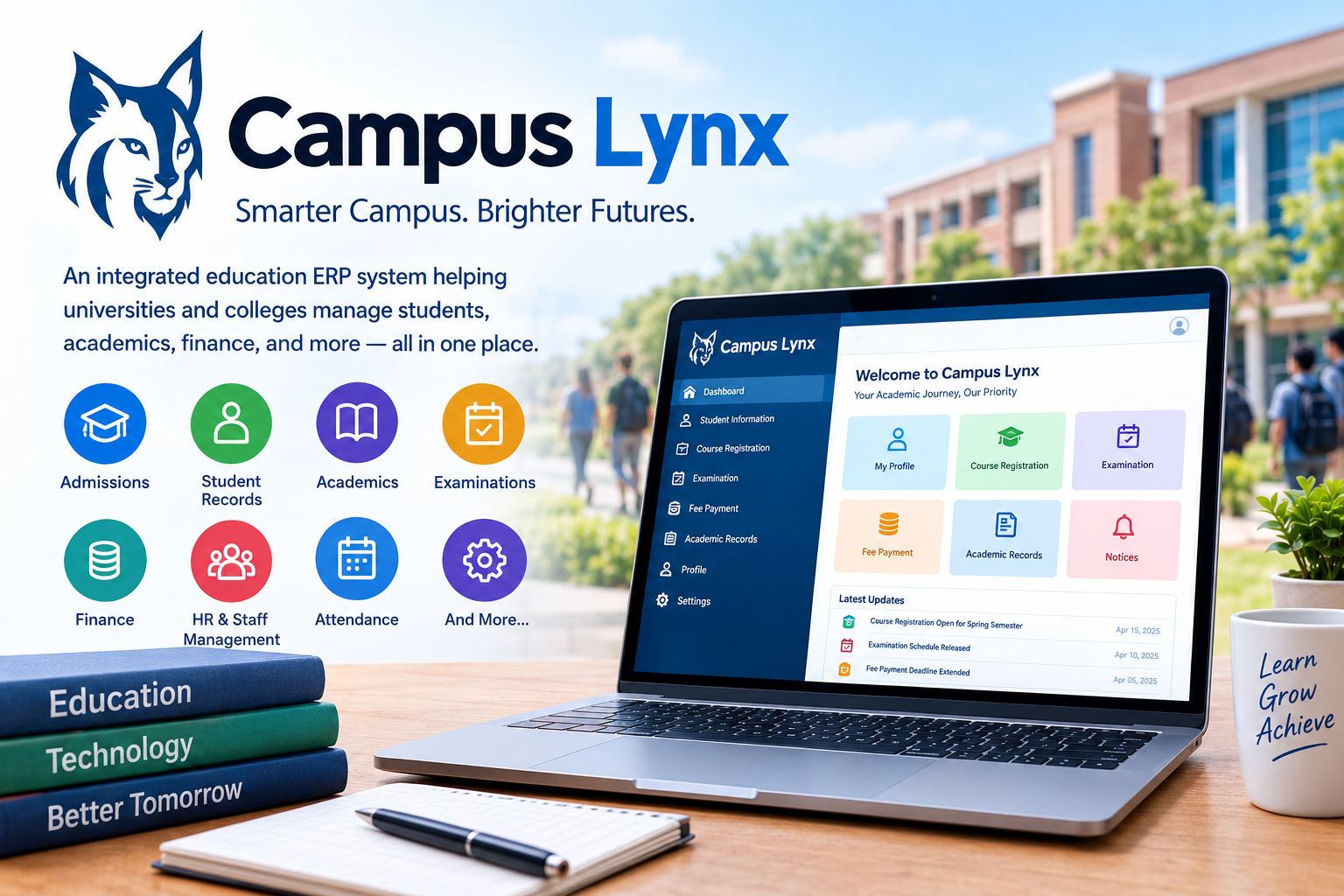
Campus Lynx, also written as CampusLynx, is the name used for an education-focused enterprise resource planning system designed to bring many university and college processes into one connected digital environment. Current information from JIL Information Technology Limited describes CampusLynx as a modular and scalable ERP solution intended to support educational institutions from the admissions stage through a student’s academic journey and ultimately to graduation. Rather than treating admissions, student records, examinations, finance, human resources, and administration as completely separate islands, the system is designed around the idea of keeping institutional information connected. That approach matters because a modern university can generate enormous amounts of data every day, and managing that information manually can quickly become complicated. A student may apply for admission, register for courses, pay fees, attend classes, take examinations, receive grades, request documents, and eventually graduate, while different departments need access to different parts of the same underlying record. CampusLynx is intended to provide the digital infrastructure for managing those processes in a coordinated way. Its use is documented at educational institutions including Jaypee University of Engineering & Technology, where university reports describe Campus Lynx as part of the institution’s administrative and examination technology environment.
Why Educational Institutions Use Campus Lynx
Universities are not simple organizations. They operate more like small cities, with academic departments, administrative offices, finance teams, libraries, hostels, examination divisions, human resources departments, students, faculty members, and external stakeholders all interacting with institutional systems. A student-information platform therefore needs to do considerably more than store names and registration numbers. CampusLynx is designed to address that broader requirement by integrating multiple institutional workflows into an ERP environment. JIL Information Technology describes the platform as supporting processes from admission applications through the student’s progression and history, while institutional documentation shows examples of Campus Lynx being used for student records, finance, accounting, attendance, and examination-related functions. The practical appeal is straightforward: when information is centralized, departments can work from a common digital record instead of repeatedly collecting and entering the same information. This can reduce duplicated work and make it easier to retrieve information when a student, teacher, administrator, or examination officer needs it. The exact modules available, however, can differ according to the institution’s implementation, configuration, and version, so Campus Lynx should not be treated as a single identical portal everywhere.
From Admission to Graduation
One of the central ideas behind CampusLynx is the ability to maintain a student’s institutional history across multiple stages of the academic lifecycle. That lifecycle can begin when an applicant submits information for admission and continue through enrollment, course selection, academic progress, examinations, financial transactions, and graduation. A connected system makes it possible to associate those different activities with a common student record rather than keeping them in disconnected databases. JIL Information Technology specifically describes CampusLynx as covering processes from inviting admission applications through the point at which students pass out of the institution, with their history maintained along the way. This lifecycle approach is particularly useful for institutions that manage large student populations and multiple academic programs. Imagine a university as a large railway network: admissions are the entry station, registration is the interchange, courses are the different routes, examinations are checkpoints, and graduation is the destination. A centralized ERP attempts to keep the timetable, passenger information, tickets, and records coordinated rather than forcing every station to maintain a completely separate system. That analogy helps explain why integrated education software can become an important part of institutional administration.
A Modular ERP Structure
The word modular is important when discussing Campus Lynx. Universities have different organizational structures, regulatory requirements, academic programs, and technology environments, so an ERP platform generally needs to be configurable rather than forcing every institution into exactly the same workflow. JIL Information Technology describes CampusLynx as a highly modular and scalable ERP solution developed around the requirements of universities and colleges. Depending on implementation, modules can address areas such as student information, admissions, finance, human resources, examinations, academic administration, and related institutional operations. This modular approach can also make it easier for an institution to expand its digital infrastructure over time. A university might initially focus on student records and academic administration and later integrate additional functions as its requirements evolve. The important distinction is between the software platform itself and the specific configuration deployed by an individual institution. A feature documented at one university should not automatically be assumed to exist in exactly the same form at every other CampusLynx installation. Users should therefore consult their institution’s own portal instructions when they need precise information about available functions.
Campus Lynx Student Information Management
Student information is one of the most important components of any university ERP system. Institutions need to maintain accurate records covering personal information, academic programs, enrollment status, course registrations, attendance, examination participation, grades, and other academic or administrative details. Campus Lynx has been documented as supporting student information functions, including student records and academic processes. At Jaypee University of Engineering & Technology, institutional documentation describes Campus Lynx as part of the university’s student information infrastructure, while other institutional documentation identifies its role in examination management and related academic activities. A centralized student record can also create a foundation for other departments because finance, examinations, academic offices, and administrative personnel may need information connected to the same student. That interconnectedness is one of the main reasons ERP systems exist in the first place. Instead of thinking about a student record as a single spreadsheet, an ERP treats it as part of a much larger network of institutional processes. The benefit is not simply having more information; it is having information organized so that authorized users can apply it to the processes they are responsible for.
Attendance and Academic Tracking
Attendance is another area where campus-management software can become particularly useful. Sharda University’s institutional quality-assurance documentation describes Campus Lynx as being used to collect student attendance, with faculty recording presence or absence and the system supporting reporting and notifications related to short attendance. The same documentation describes connections between attendance, course selection, examinations, and publication of results. These functions illustrate how an ERP can link everyday classroom administration with higher-level academic processes. Instead of attendance remaining a collection of paper registers or isolated departmental spreadsheets, information can become part of the student’s broader academic record. For students, that may mean being able to check attendance status through an institutional portal when the relevant feature is enabled. For faculty and administrators, it can mean generating reports or identifying students whose attendance falls below institutional requirements. The exact rules, thresholds, notification methods, and student-facing features are determined by the institution rather than by the general concept of Campus Lynx alone. That distinction is important because universities often configure the same enterprise platform differently according to their academic regulations and administrative procedures.
Examination Management Through Campus Lynx
Examinations generate some of the most sensitive and structured academic information in a university. Schedules, student eligibility, course registrations, marks, grades, examination records, and result publication all need to be handled carefully. Institutional reports from Jaypee University of Engineering & Technology document the use of Campus Lynx for examination-related activities, including marks entry and grade calculations. The university’s 2020–21 report also explains that although particular examination processes were affected by the COVID-19 period and some examination activities used separate online tools, marks entry and grade calculations continued to be handled through Campus Lynx. This illustrates an important characteristic of enterprise systems: they do not necessarily replace every specialized tool used by an institution. Instead, they may serve as a central administrative layer into which information from different processes eventually flows. For students, this can make the portal an important destination for checking academic information, although the exact services available depend on the university’s implementation. Examination technology is especially dependent on institutional rules, so students should rely on official university notices for deadlines, examination procedures, eligibility requirements, and result-related instructions.
Results, Grades, and Academic Records
A university’s academic record is much more than a final examination score. It can include individual course results, grades, attendance information, course registrations, academic status, and historical records accumulated across semesters or years. Campus Lynx has been documented in institutional systems that publish or manage student academic information. Sharda University’s documentation, for example, describes students being able to access results through a login and identifies the system as part of its examination-management process. A connected record can make academic administration easier because examination staff can work with information already associated with student and course records. It can also reduce the need to repeatedly create new records for the same student at different stages. However, students should remember that the portal is an administrative system, not necessarily the final authority for every academic dispute or correction. If a grade, attendance record, registration detail, or examination entry appears incorrect, the appropriate university department should normally be contacted according to the institution’s official procedure. Digital access makes information easier to retrieve, but institutional policies still determine how that information can be corrected or challenged.
Campus Lynx WebKiosk and Student Access
Some CampusLynx implementations provide students with a web-based interface commonly associated with the WebKiosk module. A publicly available CampusLynx interface documented by the National Institute of Technology Delhi shows functions such as personal information, academic information, course registration, subject-choice printing, online fee payment, examination information, and account management. These functions demonstrate how an ERP can expose selected administrative processes directly to students rather than requiring every request to be handled through a physical office. A student might therefore use a CampusLynx portal for routine academic administration while university staff use broader administrative modules behind the scenes. The interface can vary substantially from one institution to another, however, so there is no single universal Campus Lynx login page that applies to every university. If a student is searching for the correct portal, the safest route is the official website of the university or college they attend. Search results can contain similarly named systems, unrelated Lynx portals, and third-party pages, so matching the portal to the institution is essential before entering account credentials.
Common Student Functions
Depending on the institution, a CampusLynx student portal may provide access to several everyday academic functions. Documented examples include viewing personal and academic information, registering for courses, handling subject choices, accessing examination information, and making online fee payments. Some implementations may also provide notices, messages, faculty information, or other student-facing services. The important point is that these features are not necessarily universal. A university can choose which modules students are allowed to access and how those modules behave. One institution may emphasize course registration and examination services, while another may configure the system around attendance, fees, or broader student administration. When using such a portal, students should verify that they are on the official institutional domain, use their assigned credentials, and follow their university’s instructions for password management. Because a student-information system can contain sensitive academic and personal information, users should avoid sharing passwords or logging into institutional portals through suspicious links received by email or social media.
Campus Lynx and University Finance
Financial administration is another important part of education ERP systems. Universities must manage tuition and other student charges, institutional accounting, budgets, purchases, payroll, and related financial records. Jaypee University of Engineering & Technology’s published infrastructure information describes Campus Lynx as including financial accounting and related administrative functions, while JIL Information Technology describes the platform as integrating complex institutional processes. Bringing financial data into an ERP environment can help connect student-related transactions with broader accounting processes. For example, a student’s financial record may need to interact with registration or administrative workflows, while institutional finance teams need consolidated information for reporting and accounting. The exact financial features available to students can vary, with some installations offering online fee payment and others exposing only selected information through a student portal. This is another reason not to assume that every CampusLynx installation works identically. The platform provides an institutional framework, but the university decides how that framework is configured, what services are enabled, and which users can access each function.
Campus Lynx and Human Resources
An education ERP is not only about students. Universities also have large populations of faculty members, administrators, technical staff, support employees, and other personnel whose information must be managed. JIL Information Technology identifies HRMS, or human-resource management, among the functions associated with Campus Lynx. A connected HR environment can support administrative activities related to employees and can provide a common institutional system for information that would otherwise be spread across separate applications. The significance becomes clearer in a large university where hiring, employee records, payroll, attendance, academic workload, and administrative responsibilities can intersect. A lecturer, for instance, may exist in the HR system as an employee while simultaneously appearing in academic processes as a faculty member assigned to courses. Connecting those roles can help institutions coordinate information more effectively. Again, the exact functionality depends on the particular implementation, user permissions, and institutional configuration. Students generally do not need access to HR modules, but the existence of such modules helps explain why CampusLynx is better understood as an institution-wide ERP platform than simply a student login website.
Campus Lynx Security and Access
Security is fundamental to any system that stores academic, personal, and financial information. CampusLynx implementations use authenticated access so that different categories of users can receive access appropriate to their institutional responsibilities. A student, for example, should not have the same permissions as an examination administrator or finance officer. This principle of role-based access is common in enterprise information systems because it limits unnecessary exposure of sensitive records. Users also have a responsibility to protect their own accounts by following institutional password requirements, avoiding credential sharing, and accessing the system through official university channels. The security of an ERP is not determined solely by the software itself; it also depends on server infrastructure, authentication practices, network security, backups, administrator procedures, software maintenance, and user behavior. University infrastructure documentation can therefore provide useful context about how Campus Lynx fits into a wider technology environment. At Jaypee University of Engineering & Technology, for example, Campus Lynx is described alongside database, backup, firewall, wireless-network, and other server infrastructure, illustrating that the ERP operates as one component of a larger institutional IT ecosystem.
Advantages of an Integrated Campus ERP
The central advantage of an integrated campus ERP is coordination. When admissions, academic records, finance, examinations, attendance, and other processes share connected information, universities can potentially reduce repetitive data entry and improve access to institutional records. This can also help administrators produce reports more efficiently because information does not necessarily have to be manually collected from every department. For students, the benefit can be convenience: instead of visiting several offices for routine tasks, selected processes can be completed through a digital portal. For faculty, integrated systems can simplify tasks such as recording attendance or accessing course-related information. For management, centralized information can support institutional reporting and planning. These benefits are not automatic, though. A poorly configured ERP, outdated infrastructure, incomplete data, or unclear administrative procedures can undermine the value of any technology platform. Campus Lynx should therefore be viewed as an enabling system rather than a magic solution. Its effectiveness depends on how an institution implements it, trains users, maintains data quality, and connects the platform with the university’s broader administrative processes.
Potential Challenges When Using Campus Lynx
Like any large institutional software system, Campus Lynx can present challenges. Students may encounter login problems, forgotten passwords, registration errors, missing information, browser compatibility issues, or periods when a university system is unavailable. Faculty and administrators may face different challenges involving data accuracy, workflow configuration, training, or integration with other institutional systems. Enterprise software also evolves over time, meaning that screenshots, instructions, and menus found online may not match a university’s current installation. This is particularly important when searching for Campus Lynx help on the internet because the same name can appear in documentation from multiple institutions and organizations. Users should therefore prioritize current instructions from their own university’s IT department, registrar, examination office, or official student portal. When a problem involves academic eligibility, fees, examination registration, or grades, technical troubleshooting alone may not solve the underlying issue. The relevant administrative office may need to correct the institutional record or clarify the policy before the software can display the expected result.
Campus Lynx vs. Other University Portals
It is easy to confuse Campus Lynx with other student portals because many universities use different products for similar purposes. Some institutions use internally developed portals, while others combine separate systems for learning management, student information, finance, scheduling, and examinations. CollegeNET, for example, uses the name LYNX for an interface that connects its scheduling environment with student-information systems, which is a different product context from CampusLynx by JIL Information Technology. Similarly, individual universities may brand their student portals with names such as Lynx even when those portals are unrelated to CampusLynx. This means that a search for “Campus Lynx login” without the institution’s name can easily produce confusing results. Before entering credentials, students should identify the university associated with the portal and confirm the web address through an official institutional page. Understanding this naming issue is one of the simplest ways to avoid following the wrong login instructions.
How to Use Campus Lynx Effectively
Using Campus Lynx effectively begins with identifying exactly which institution-specific portal and modules are available. Start from the university’s official website rather than relying on an unfamiliar search result or a link shared by another person. Once logged in, review the available academic, personal, financial, registration, and examination sections and learn which functions are relevant to your program. Keep track of institutional deadlines because a portal may technically allow you to view information while university regulations determine when a transaction must be completed. If an entry appears incorrect, take note of the exact information displayed and contact the responsible university office rather than repeatedly submitting the same form. Students should also maintain secure account practices, including using strong credentials and logging out of shared computers. Finally, save or print official confirmations when the institution recommends doing so, particularly after registration, fee payment, subject selection, or examination-related transactions. A few minutes of careful record keeping can prevent considerable confusion later.
The Future of Campus Management Systems
The broader direction of university technology is toward increasingly connected digital ecosystems. Institutions want student information, academic operations, financial processes, scheduling, communication, analytics, and administrative services to work together instead of operating as isolated applications. CampusLynx fits within this wider movement toward integrated education ERP systems. Modern institutions also increasingly expect mobile-friendly interfaces, automation, dashboards, online payments, data analytics, and integration with other software. The future of a platform such as Campus Lynx will therefore depend not only on the individual modules it provides but also on how effectively it can connect with changing university infrastructure. Artificial intelligence, cloud services, automated workflows, and improved data analytics are changing expectations for institutional software, but the fundamentals remain the same: accurate information, appropriate access controls, reliable infrastructure, and processes that make sense to the people who use them. The strongest campus technology environments are not simply collections of sophisticated features. They are systems designed around real administrative needs and maintained carefully over time.
Conclusion
Campus Lynx is best understood as an education-focused ERP and student-management platform rather than simply a website where students check their results. Current institutional and vendor documentation associates CampusLynx with a broad range of university processes, including admissions, student records, academic administration, examinations, finance, accounting, human resources, attendance, and related institutional operations. Its WebKiosk-style student interfaces can also expose functions such as academic information, course registration, examination details, and online fee payment, depending on the institution’s configuration. At the same time, the phrase “Campus Lynx” can refer to different technology products or institution-branded portals, so users should always confirm that they are accessing the correct system through their university’s official website. Ultimately, the value of Campus Lynx comes from connecting institutional information and workflows so that students, faculty, and administrators can manage academic operations through a more coordinated digital environment.
FAQs About Campus Lynx
What is Campus Lynx?
Campus Lynx, commonly written as CampusLynx, is an education ERP system designed to help universities and colleges manage interconnected administrative and academic processes. Depending on the implementation, it can cover areas such as admissions, student records, examinations, finance, accounting, human resources, attendance, and academic administration.
Is Campus Lynx a student portal?
Campus Lynx can provide a student-facing portal, but it is broader than a typical student portal. Some documented implementations use a WebKiosk interface through which students can access academic information, register for courses, view examination information, manage subject choices, or make online payments.
Can students check results through Campus Lynx?
In institutions where result services are enabled, students can use Campus Lynx to access academic results or related examination information. The exact result features depend on the university’s configuration and policies, so students should follow their institution’s official instructions.
Is Campus Lynx the same at every university?
No. CampusLynx can be configured differently by different institutions, and similarly named “Lynx” portals may belong to completely different software products or universities. Always use your own institution’s official website to identify the correct Campus Lynx portal and available services.
What should I do if Campus Lynx is not working?
First, verify that you are using the official university portal and the correct login credentials. If the problem continues, check your university’s IT-support instructions or contact the appropriate technical or academic office. For issues involving grades, fees, attendance, course registration, or examination eligibility, the relevant administrative department may need to investigate the underlying record rather than treating the problem as a simple login issue

Abdulrahman
Tech writer at whatsontech.net
who loves to write about Ai tools, Apps and Tech guides.