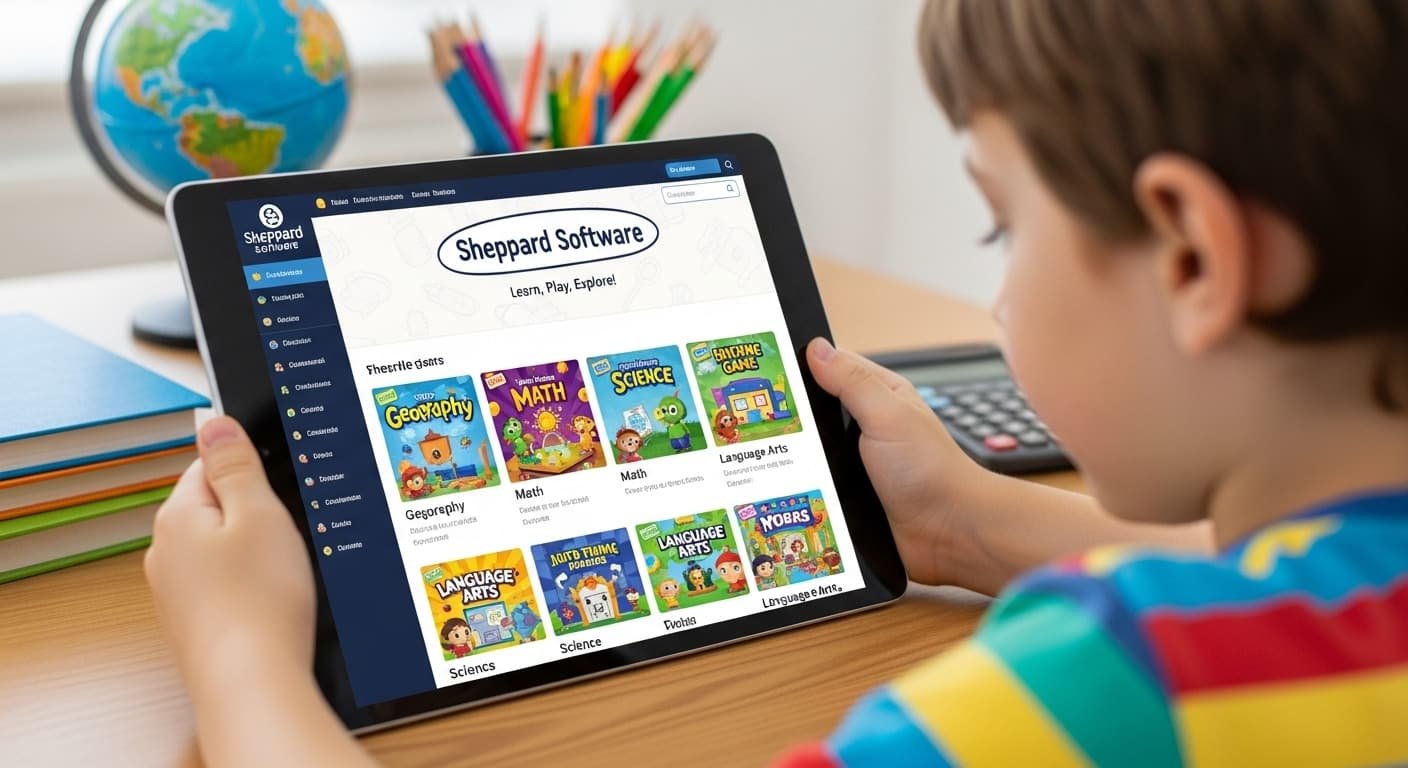
In today’s busy world, every parent wants screen time that builds real skills instead of just passing the hours. Sheppard Software delivers exactly that, a completely free website packed with hundreds of interactive learning games that kids actually love. With over 20 million visitors and 5 million hours of learning logged in the past year alone, plus use in more than 1,000 schools worldwide, it’s one of the most trusted educational tools online.
No sign-ups, no subscriptions required for the basics, and games that work on phones, tablets, and computers. Whether you’re homeschooling in the USA, supplementing classroom lessons, or just looking for quality screen time, this guide covers everything you need to know about Sheppard Software so you can start using it today.
What Do You Mean By Sheppard Software?
Sheppard Software is a long-running educational website (sheppardsoftware.com) that offers hundreds of free, browser-based learning games for kids and adults. It turns core subjects into fun, interactive experiences, with no downloads, no logins for the free version, and zero pressure.
Think colorful games where your child clicks, drags, and matches to learn geography, math, science, animals, and more. The site has been around for decades and still gets millions of visits every year because it’s simple, safe, and genuinely educational. It’s not a fancy app with fancy animations; it’s honest, straightforward learning that feels like play.
Reasons to Start Using The Sheppard Software for Your Children
Parents love Sheppard Software because it solves the biggest headache: finding screen time that’s actually good for kids. First, it’s 100% free to start, no hidden costs or trials. Second, the games build real skills like problem-solving, memory, and subject knowledge without feeling like homework. Third, it’s completely safe: no personal information needed and no chat features.
Fourth, it works perfectly as a supplement for homeschooling families or busy parents who want 15–20 minutes of quality learning a day. Finally, kids stay engaged because the games are rewarding—think instant feedback, levels, and that “just one more” feeling that turns learning into a habit instead of a chore.
Exploring the Diverse Types of Educational Games Offered by Sheppard Software
Sheppard Software covers almost every subject your child needs. Geography games let kids master U.S. states, world capitals, and continents through drag-and-drop maps and timed challenges. Math includes fun favorites like Fruit Splat Addition, Clock Splat, Fractions, and Catch the Stars Multiples. Science features the Food Chain Game, animal classification, and cell exploration.
Animal games include matching, painting, and fact quizzes that make kids experts on everything from dinosaurs to deep-sea creatures. Language arts covers grammar, vocabulary, and punctuation through interactive quizzes. Health and nutrition games teach food groups and body systems. Plus, there are brain teasers, creative paint-and-make activities, and seasonal games. Every category has multiple difficulty levels,s so the same game grows with your child.
Sheppard Software Preschool and Kindergarten
For little ones ages 3-6, Sheppard Software Preschool and Kindergarten sections are a goldmine. Games focus on colors, shapes, alphabet, numbers, and basic animals with big buttons and simple clicks. Favorites include Colors Game, Shapes Splat, Preschool Animals movies, and easy matching activities.
The bright graphics and short rounds keep toddlers from getting frustrated while building early literacy and math foundations. Parents report their preschoolers beg to “play the fruit game” every day, perfect for morning routines or rainy afternoons.
Sheppard Software College and Adult Level
Yes, adults and college students can use it too! The higher levels include advanced geography (expert world maps and capitals), math review for SAT prep, complex science quizzes (cells, food chains, classification), health and nutrition challenges, and brain games like crosswords and memory puzzles.
Many college students revisit the site for quick refreshers on geography or periodic table facts. It’s not a full college course, but it’s an excellent free tool for sharpening skills or learning for fun.
Benefits of Using Sheppard Software
The biggest benefit is how it makes learning stick through repetition and play. Kids absorb facts faster when they’re having fun. It supports different learning styles, visual, hands-on, and auditory, with sounds, colors, and immediate feedback.
Homeschool families love that it aligns with Common Core and state standards without extra planning. Teachers use it for centers, early finishers, or remote learning. Best of all, it builds confidence: children who struggle in class often shine here because they can repeat levels until they master them.
Navigating the Website
The site is super easy once you know the layout. At the top, you’ll see clear category buttons: USA Games, World Geography, Animals, Math, Science, Language Arts, Health, Preschool, and Brain Games. Click any one, and you’ll see recommended games broken down by age level.
There’s also a search bar and direct links to popular games like Food Chain or US States Level 1 right on the homepage. Everything loads quickly, and you can bookmark your child’s favorite games for even faster access.
Pros and Cons
Here’s a clear side-by-side look at what works and what could be better:
| Pros | Cons |
| 100% free to use | The free version has some ads |
| Hundreds of games across subjects | Old-school graphics (not modern-looking) |
| Works on phones, tablets & computers | Navigation can feel overwhelming at first |
| No login required for basic play | Not every game is fully mobile yet |
| Used by 1,000+ schools | Limited depth for advanced high-school topics |
| Builds real skills through play | Requires parent guidance for very young kids |
How much does Sheppard Software Cost?
The core website and all games are completely free. If you want to remove ads, there’s an optional Family ad-free subscription for just $36 per year (less than 10 cents a day). Classroom accounts are $70/year, and full school licenses are $300/year.
That’s it, no monthly fees, no auto-renew surprises. Most families stick with the free version and barely notice the ads.
Sheppard Software Computer Requirements
You need nothing special, just a modern web browser (Chrome, Firefox, Safari, or Edge) and an internet connection. Games now run on phones, iPads, and tablets too (the site is actively converting everything for mobile).
No downloads, no Flash player needed anymore. It works on Windows, Mac, iOS, and Android devices. Even older computers handle it smoothly because the games are lightweight.
Limitations and Drawbacks
While wonderful, Sheppard Software isn’t perfect. The graphics look dated compared to today’s flashy apps, which can make some kids less excited at first. The huge number of games means young children might get distracted or need help choosing.
Not every subject goes super deep (history and music are lighter), and mobile support is still being expanded; not all games work perfectly on phones yet. Finally, without the $36 ad-free upgrade, occasional ads appear between games.
Real Success Stories: What Parents and Teachers Are Saying
Real users keep coming back year after year. The Boston Public Library called the geography games “terrific.” A Dallas Children’s Museum educator praised them as excellent. Homeschool parents often share stories like, “My 7-year-old went from confusing states to naming all 50 in two weeks!”
Teachers report using the Food Chain and Math Splat games in classrooms and seeing instant engagement. One parent summed it up: “It’s the only site where my kids fight over whose turn it is to learn.”
Smart Tips to Get the Most Out of Sheppard Software
Make the most of it with these easy habits: Set a 15-20 minute timer so it stays a treat. Pair games with a quick printable worksheet or discussion (“What did you learn about food chains today?”). Bookmark favorites and create a weekly rotation by subject.
For homeschoolers, use the geography games alongside map coloring pages and the math section as daily warm-ups. Track progress together; kids love seeing how many levels they’ve beaten. Finally, try the ad-free family plan if you want zero distractions during focused learning time.
FAQs
What is Sheppard Software?
It’s a free educational website offering hundreds of interactive learning games for all ages in subjects like math, geography, science, and more.
What topics does Sheppard Software cover?
Geography (U.S. and world), math, science, animals, language arts/grammar, health/nutrition, preschool basics, and brain teasers.
Is Sheppard Software suitable for all age groups?
Yes! It has dedicated sections for preschool/kindergarten, elementary, middle school, high school review, college-level refreshers, and adult brain games.
How do I access Sheppard Software resources?
Just visit sheppardsoftware.com in any browser, no account or download needed for the free games.
Is it free?
Yes, everything is free to play. An optional $36/year family plan removes ads if you want a cleaner experience.
Conclusion
Sheppard Software proves you don’t need expensive apps to give your kids quality educational screen time. With its huge variety of free games, mobile-friendly updates, and proven track record of 20 million+ visitors, it remains a top choice for parents and teachers in 2026.
Head over to sheppardsoftware.com right now, try the Fruit Splat math game or the US States map, and watch your child light up while learning. Bookmark this guide, share it with other parents, and let us know in the comments which game your kids love most. Happy learning!

Abdulrahman
Tech writer at whatsontech.net
who loves to write about Ai tools, Apps and Tech guides.